Preview Environments
Preview Environments automatically create a live, production-like instance of your application for every pull request or merge request. Your CI/CD pipeline deploys the Preview Environment and runs your automated tests against it, so every change is tested in a real environment before it merges to main.
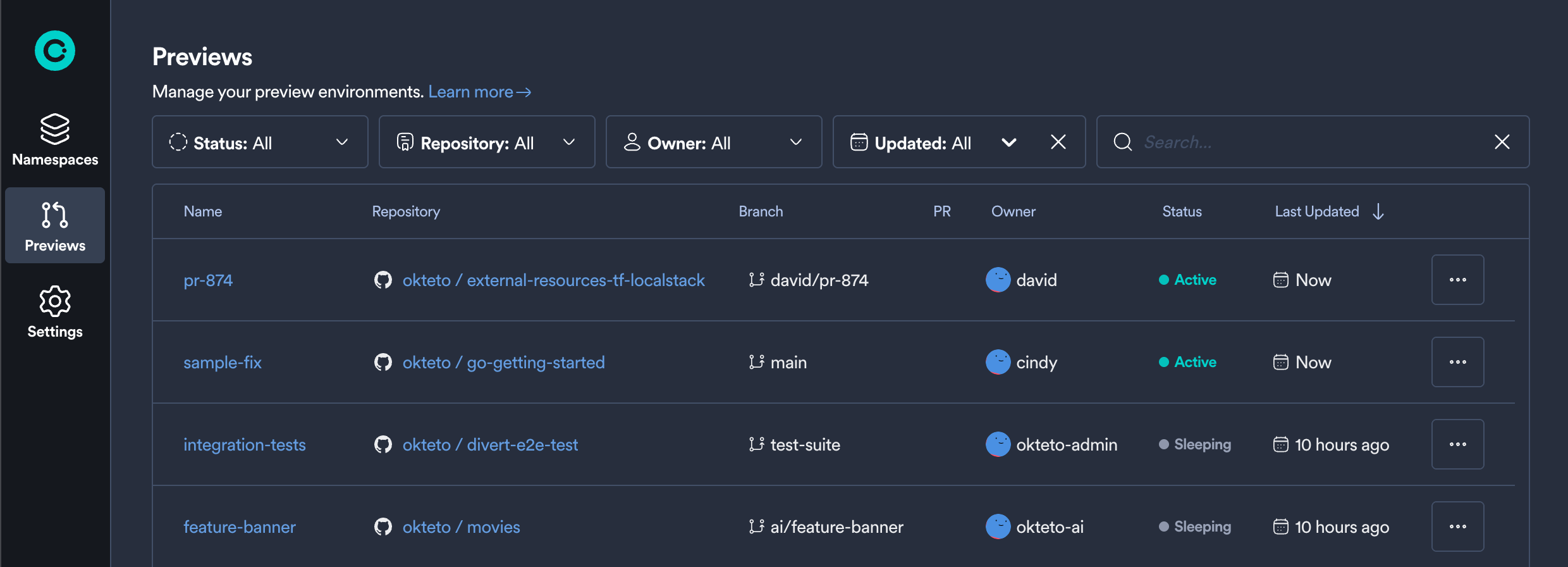
The Okteto UI lists all Preview Environments with their repository, branch, pull request, owner, and status. You can filter the list by name, repository, status, owner, or last update, and sort it. Admins can also manage Preview Environments from the Admin Dashboard.
How It Works
Preview Environments follow the lifecycle of a pull request or merge request:
- Open a Pull Request or Merge Request: when you create or update a pull request in GitHub or a merge request in GitLab, your CI/CD pipeline triggers an Okteto Preview Environment.
- Deployment: Okteto deploys your application with the
deploysection of your Okteto Manifest, the same sectionokteto deployruns for your Development Environment. To change how your application behaves in a Preview Environment, see How do I customize my application for Preview Environments?. - Automated Tests: your pipeline runs
okteto testagainst the Preview Environment and reports the result on the pull request or merge request. - Share and Collaborate: the Preview Environment keeps running after the tests finish, so you can share its URL with your team for manual testing and feedback.
- Updates: every new commit redeploys the Preview Environment and reruns your tests.
- Cleanup: your pipeline destroys the Preview Environment when the pull request closes in GitHub, or when the merge request's branch is deleted in GitLab.
Getting Started
- Why Preview Environments: how Preview Environments remove configuration drift between development and CI, collect feedback from your whole team, and simplify your CI jobs
- GitHub Actions: deploy a Preview Environment and run your tests on every pull request
- GitLab CI/CD: deploy a Preview Environment and run your tests on every merge request
- Bitbucket Pipelines (coming soon!)
- Azure DevOps (coming soon!)