Deploy your application
For this tutorial, you will be using our getting started sample app. Start by cloning the following repo and switching to the tutorial branch:
git clone https://github.com/okteto/getting-started
cd getting-started
git checkout tutorial
The tutorial branch contains the Movies app without an Okteto Manifest. The main branch contains the final result of this guide.
The Movies app comes with a Helm chart to deploy the application on Kubernetes.
To instruct Okteto to deploy the Movies app, create an okteto.yaml file at the root of the repo with the following content:
deploy:
  - name: Helm Install
    command: helm upgrade --install movies chart
The meaning of these fields is:
deploy: it's a list of commands to deploy your application. Every command has the following fields:name: a name to label your commandcommand: the command to be executed
The Movies app uses Helm, but you can also deploy with Docker Compose or any other tool.
Now deploy the Movies app by running the following command:
okteto deploy
 i  Using cindy @ okteto.example.com as context
 i  Running 'Helm Install'
Release "movies" does not exist. Installing it now.
NAME: movies
LAST DEPLOYED: Fri Jan 19 23:54:00 2024
NAMESPACE: cindy
STATUS: deployed
REVISION: 2
TEST SUITE: None
NOTES:
Success! Your application will be available shortly.
 i  There are no available endpoints for 'movies'.
    Follow this link to know more about how to create public endpoints for your application:
    https://www.okteto.com/docs/core/ingress/automatic-ssl
 ✓  Development environment 'movies' successfully deployed
Confirm that the Movies app is up and running by logging into the Okteto UI:
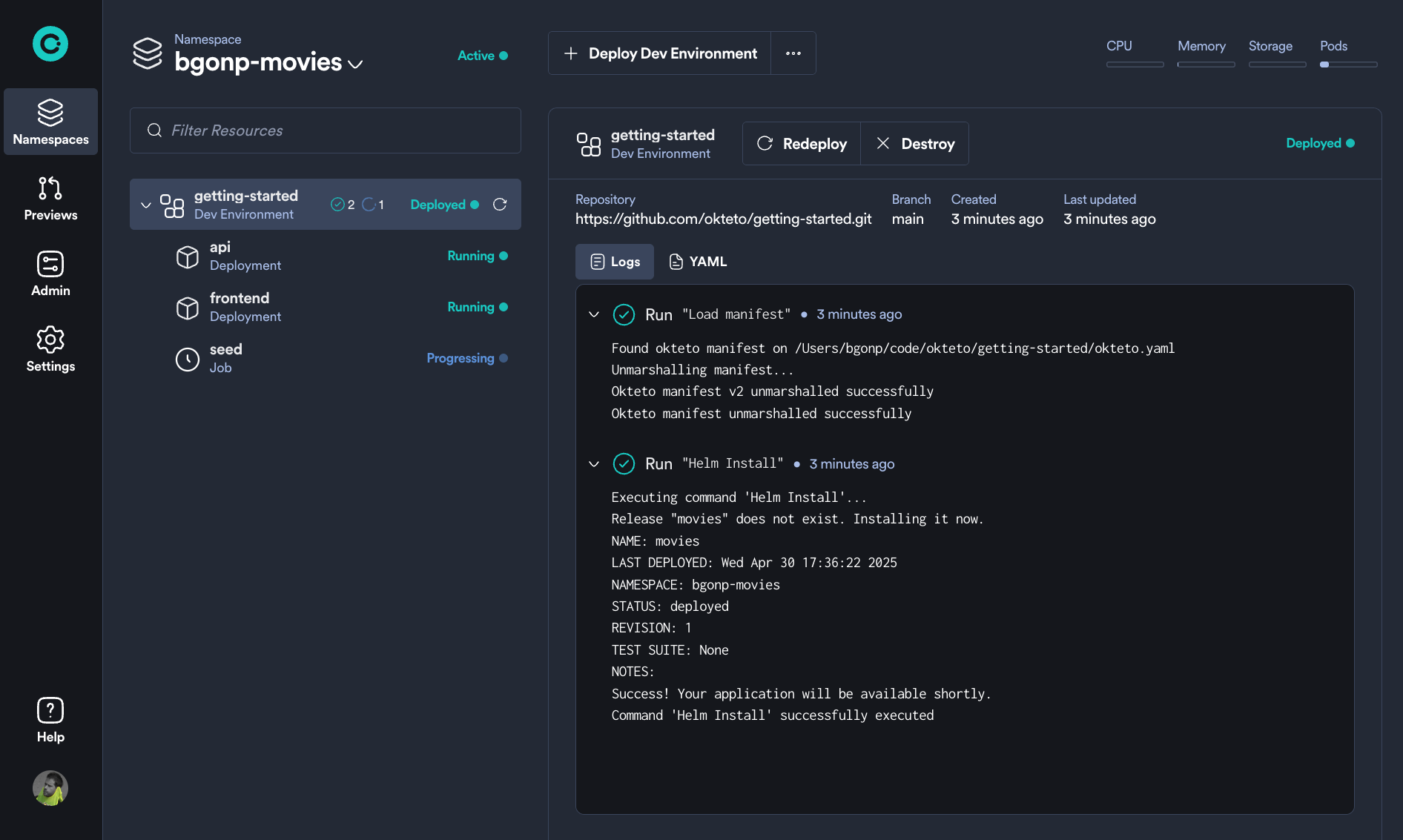
Or by configuring your Kubernetes credentials to access your Development Environment:
okteto kubeconfig
Updated kubernetes context 'okteto_example_com/cindy' in '[/Users/cindy/.kube/config]'
And using kubectl to visualize how your Development Environment looks in Kubernetes:
kubectl get all
NAME                          READY   STATUS    RESTARTS   AGE
pod/api-689448db78-flf7j      1/1     Running   0          2m12s
pod/frontend-d564c895-tvg65   1/1     Running   0          2m12s
pod/seed-djt25                1/1     Running   0          2m11s

NAME               TYPE        CLUSTER-IP    EXTERNAL-IP   PORT(S)    AGE
service/api        ClusterIP   10.7.255.99   <none>        8080/TCP   2m13s
service/frontend   ClusterIP   10.7.246.60   <none>        80/TCP     2m13s

NAME                       READY   UP-TO-DATE   AVAILABLE   AGE
deployment.apps/api        1/1     1            1           2m13s
deployment.apps/frontend   1/1     1            1           2m13s

NAME                                DESIRED   CURRENT   READY   AGE
replicaset.apps/api-689448db78      1         1         1       2m13s
replicaset.apps/frontend-d564c895   1         1         1       2m13s

NAME             COMPLETIONS   DURATION   AGE
job.batch/seed   0/1           2m13s      2m13s
Next Steps
Awesome, you have deployed the Movies app to Okteto 🚀
Looks like there is still an issue with the Movies app.
The seed job keeps processing, and if you check the logs of the api Kubernetes Deployment:
okteto logs api
 i  Using cindy @ okteto.example.com as context
api-646fdf88d6-267sn › api
api-646fdf88d6-267sn api yarn run v1.22.19
api-646fdf88d6-267sn api $ nodemon server.js
api-646fdf88d6-267sn api [nodemon] 2.0.4
api-646fdf88d6-267sn api [nodemon] to restart at any time, enter `rs`
api-646fdf88d6-267sn api [nodemon] watching path(s): *.*
api-646fdf88d6-267sn api [nodemon] watching extensions: js,mjs,json
api-646fdf88d6-267sn api [nodemon] starting `node server.js`
api-646fdf88d6-267sn api Error connecting, retrying in 1 sec: MongoServerSelectionError: getaddrinfo ENOTFOUND mongodb
api-646fdf88d6-267sn api Error connecting, retrying in 1 sec: MongoServerSelectionError: getaddrinfo ENOTFOUND mongodb
...
Or from the Okteto UI, you can see that the api is failing to connect to MongoDB... This is expected because you didn't deploy a MongoDB instance yet, let's configure the MongoDB dependency in the next step of this guide 😎