Namespaces
Admin > Namespaces lists every Namespace of your Okteto instance, with its owner, its status (active or sleeping), and when it was last updated.
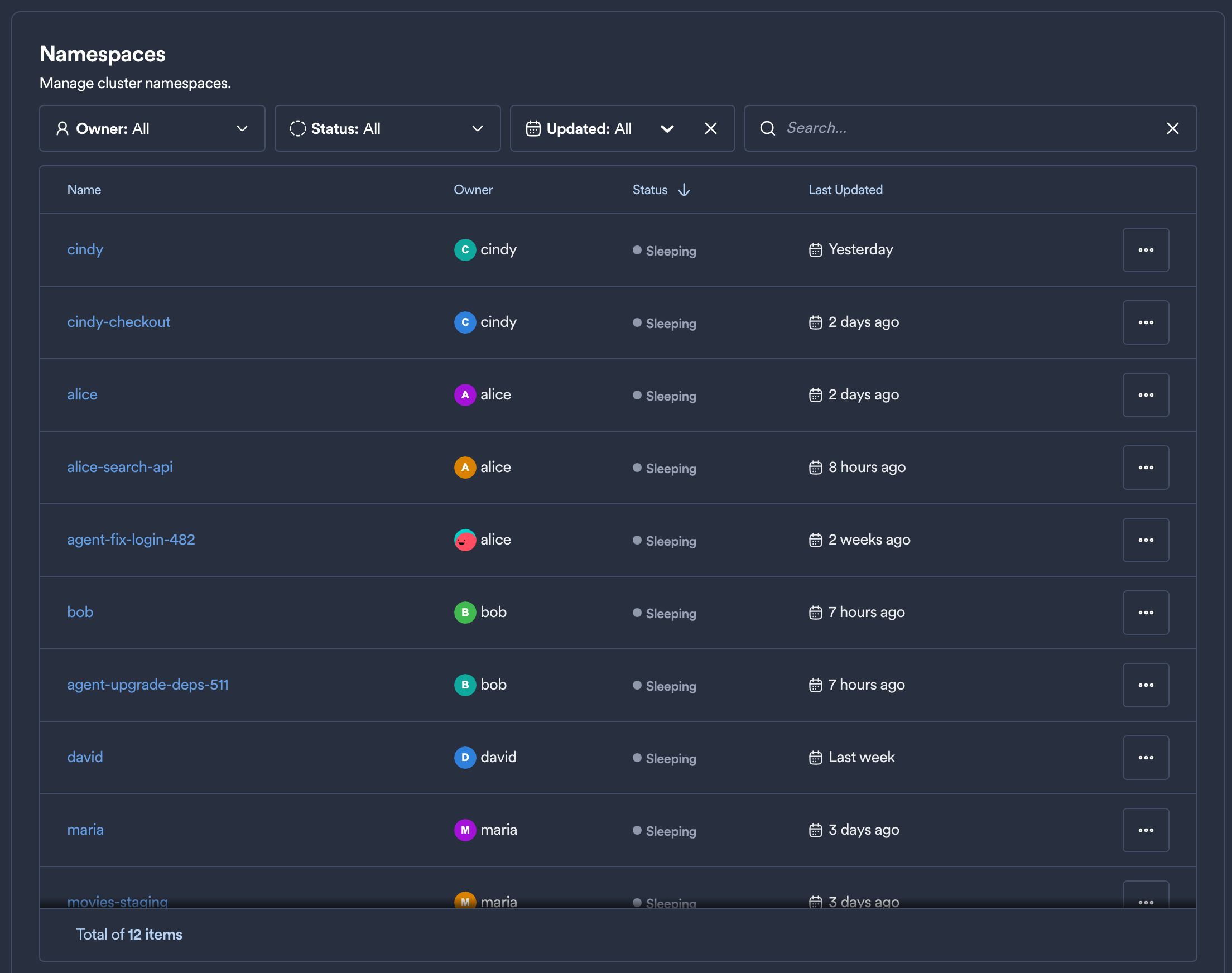
Filtering and Searching Namespaces
These filters narrow down the list of Namespaces:
- Search: finds Namespaces by name.
- Owner: filters by the user who owns the Namespace. You can search the list of users.
- Status: filters by status, such as active or sleeping.
- Updated: filters by the time of the last update:
- Last Hour
- Last 24 Hours
- Last 7 Days
- Last 30 Days
- Last 90 Days
You can combine several filters.
Namespace Table Columns
The table shows these columns for each Namespace:
- Name: the Namespace's name. Click it to open the Namespace with read-only access.
- Owner: the user who owns the Namespace.
- Status: the Namespace's current status, for example active or sleeping.
- Last Updated: the most recent activity in the Namespace, such as a deployment or an
okteto upsession. Activity lists every kind.
Managing Namespaces
The menu at the end of each row has these actions:
- Transfer Ownership: makes another user the owner of the Namespace. Select Keep current owner as a member to keep the current owner's access. Personal Namespaces can't be transferred. Transferring ownership has the details.
- Wake Up: wakes up a sleeping Namespace.
- Put To Sleep: puts an active Namespace to sleep to save resources. It's disabled for persistent Namespaces.
- Persistent: marks the Namespace as persistent, so it's never deleted or put to sleep for inactivity. The Garbage Collector doesn't delete it either, because it stays active.
tip
A persistent Namespace stays available until someone deletes it. Mark shared Namespaces that must always be reachable, such as a staging environment, as Persistent.